Overview
The problem
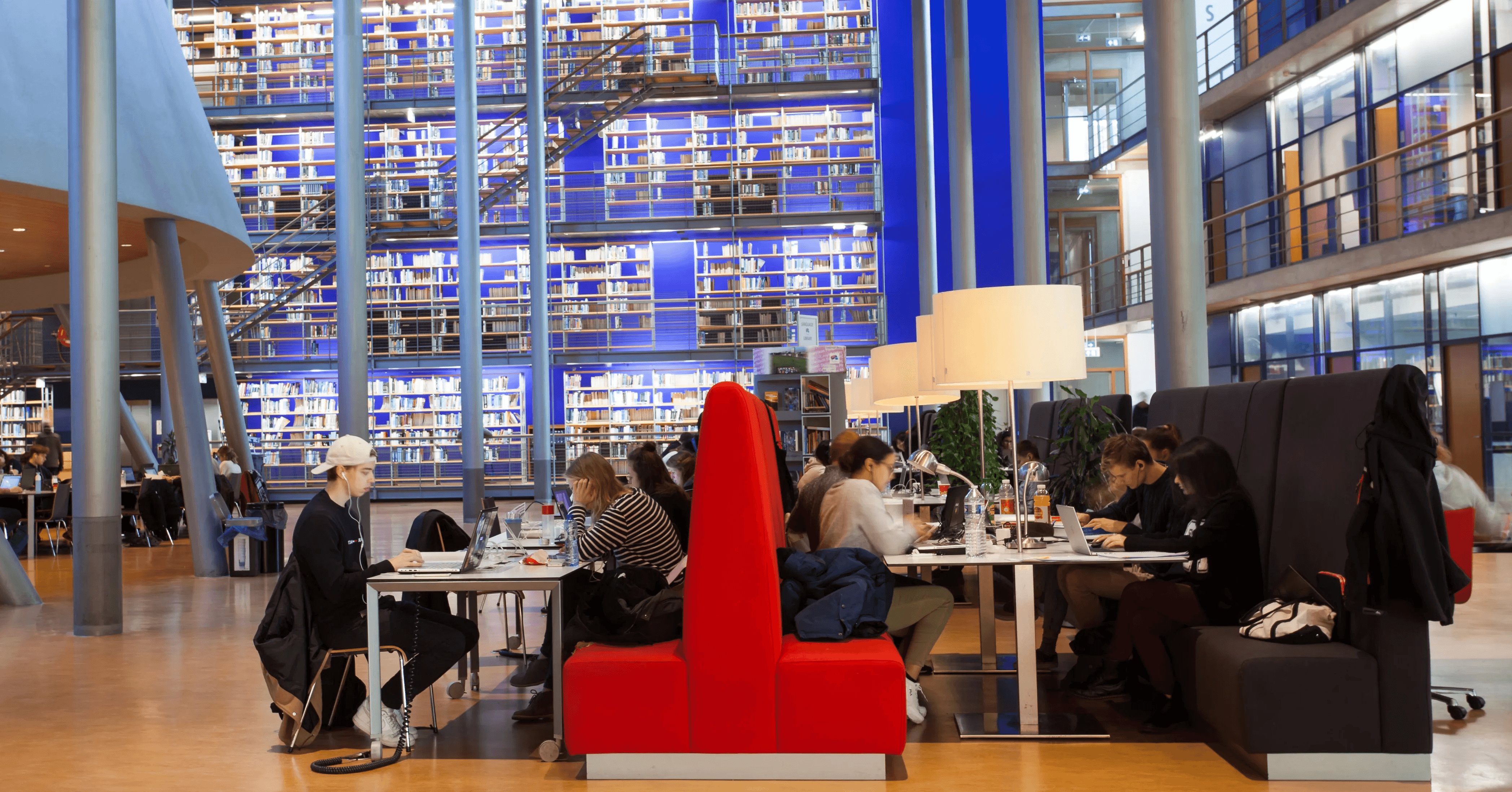
Currently, students studying at the TU Delft Library are not engaging with the Collection Wall.
They are not feeling triggered or invited to interact with the Wall leading to unmet expectations.
The goal
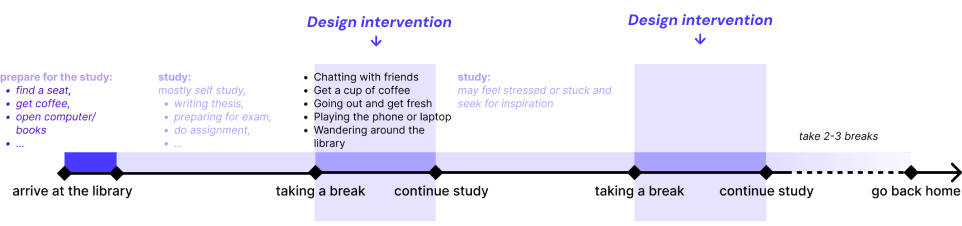
To make students feel motivated to explore the Collection Wall by triggering their curiosity when they are on a study break.
Interaction in a break interval is intended to offer a mental diversion, allowing the user to draw inspiration from the other knowledge sources.
The solution
Attracting & Inviting students with tangible interactions and animations on the screen
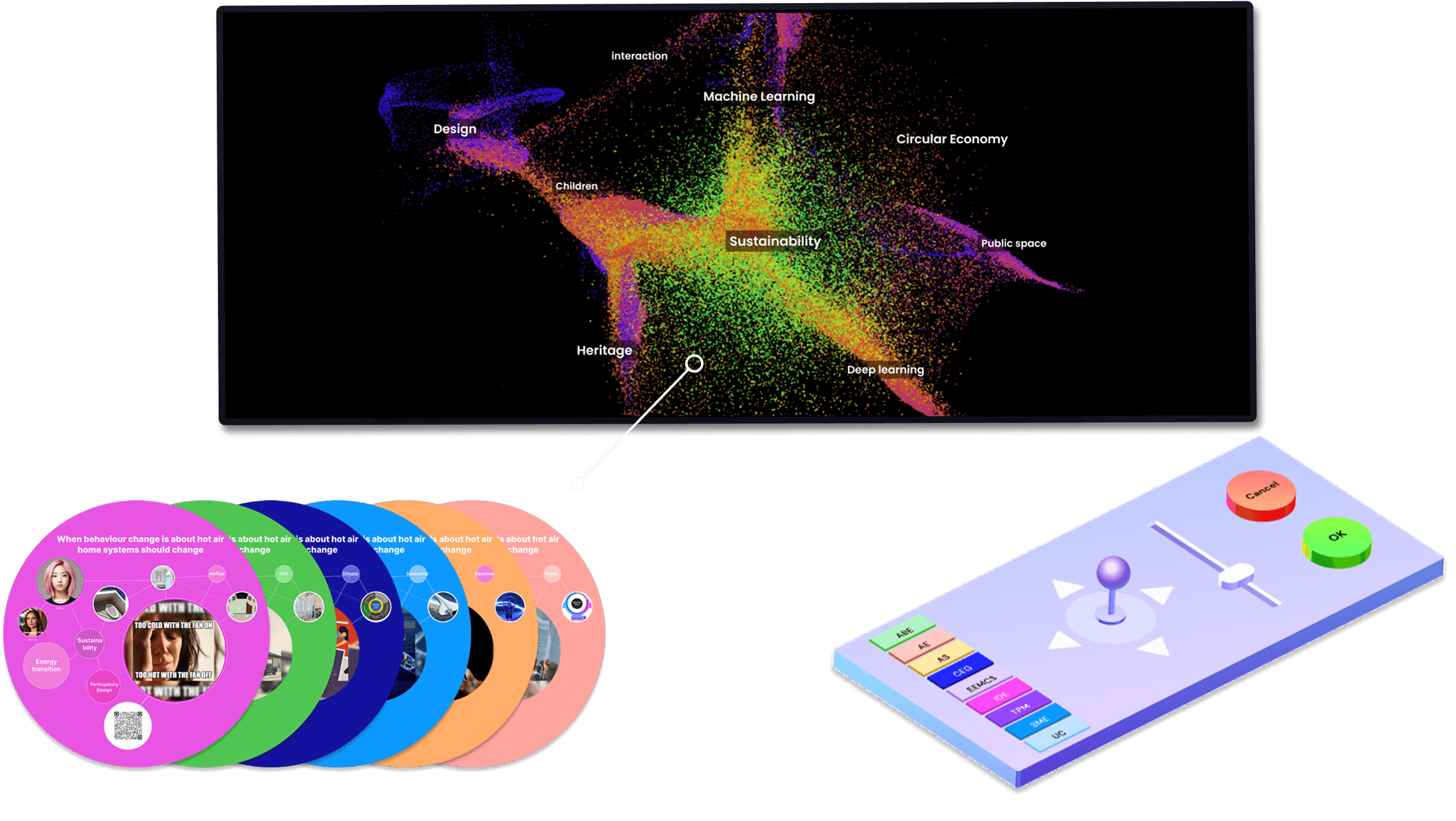
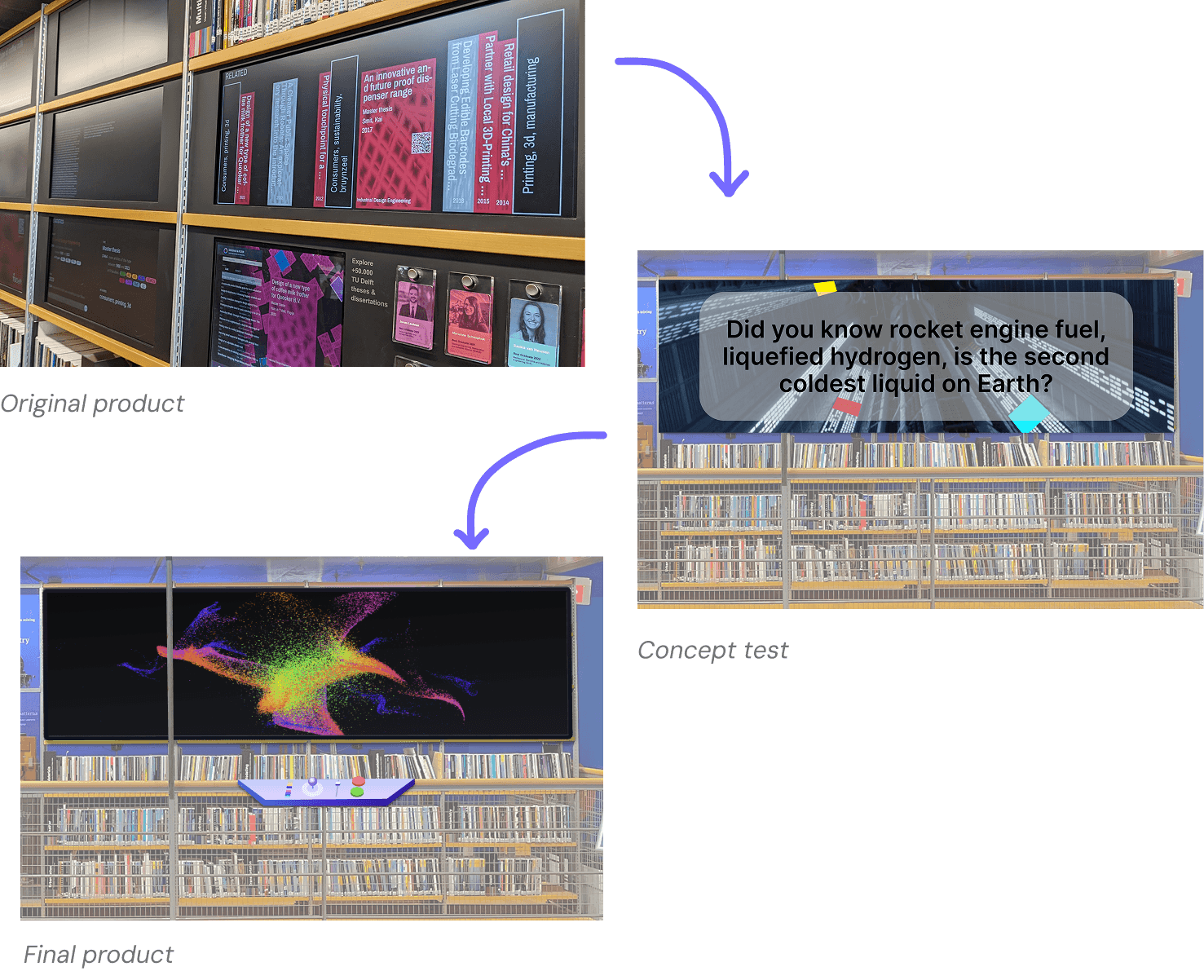
We introduced an interactive world of theses, a joystick and light-hearted memes to make student study breaks more explorative. This design will replace 9 original screen and placed at the similar place in the library.
The impact
The new design significantly improves on
SUS score increased by 40%
The results were based on the SUS scores (iterated) of 10 students using original walls and our new-designed walls.
Positive feedback for first-time use
Most of the user didn't use the wall before, they express positive emotions for using the product for the first-time. *(Based on preMo)*
Research
Build-up
Where is the wall? How is it constructed?
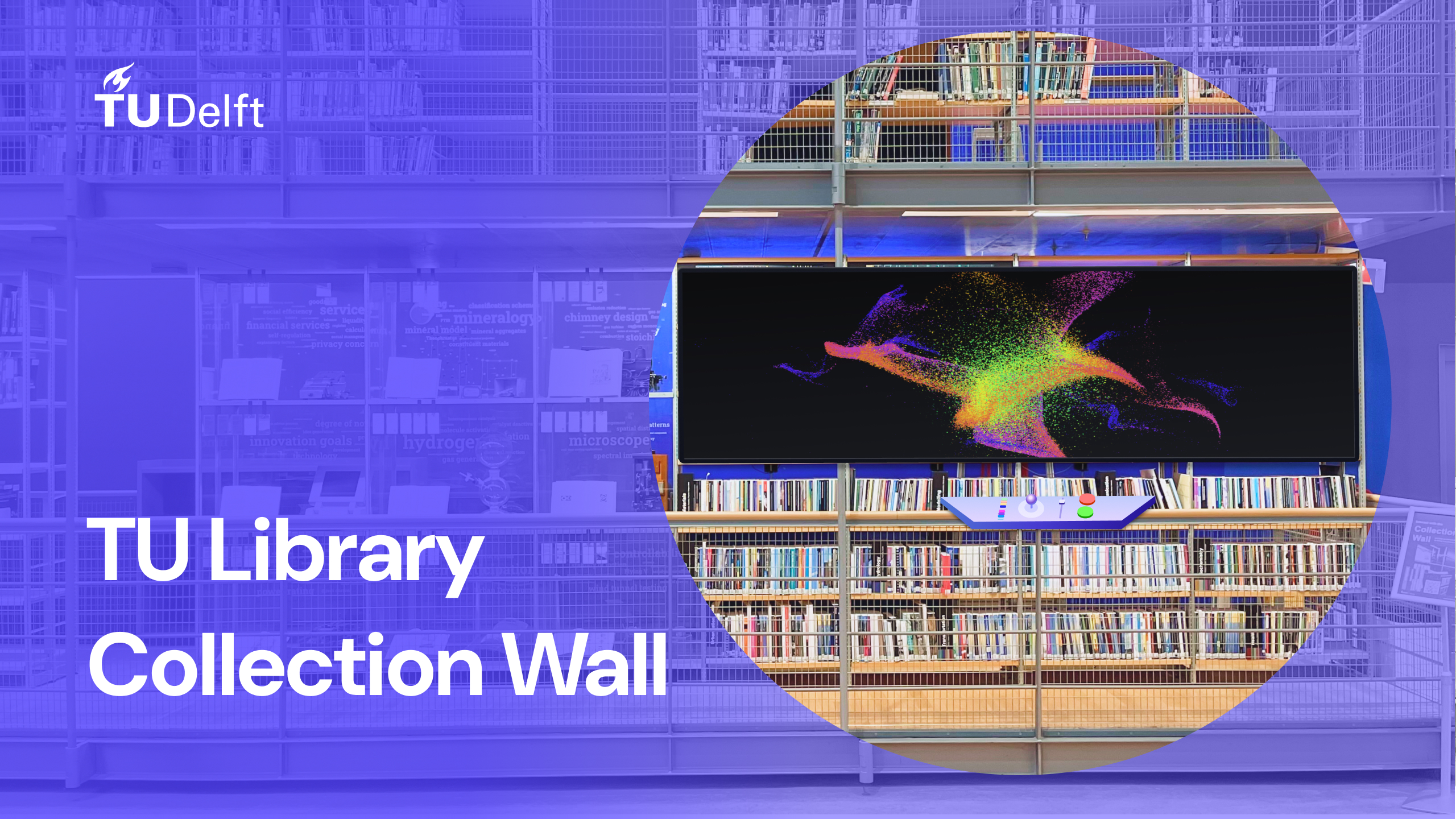
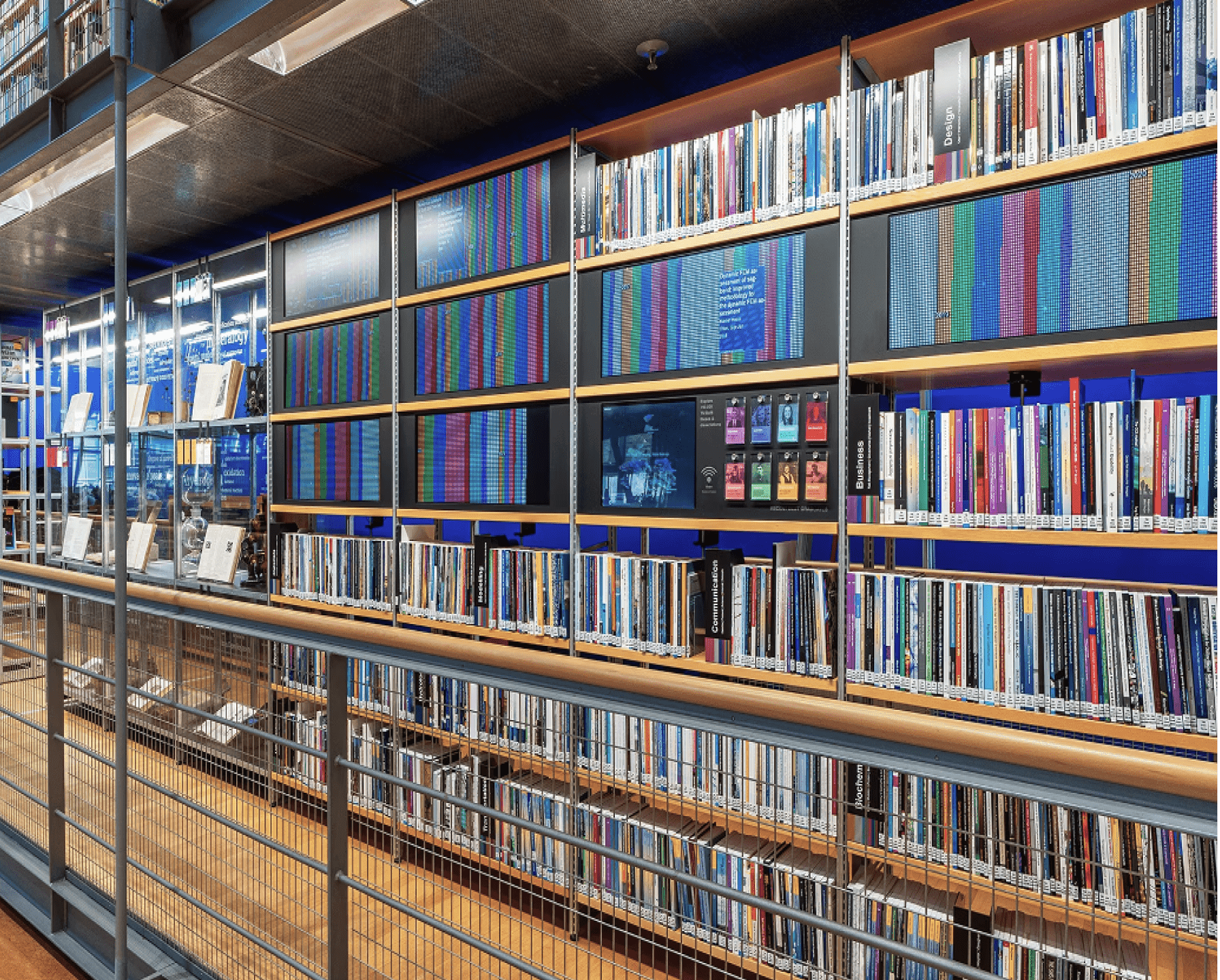
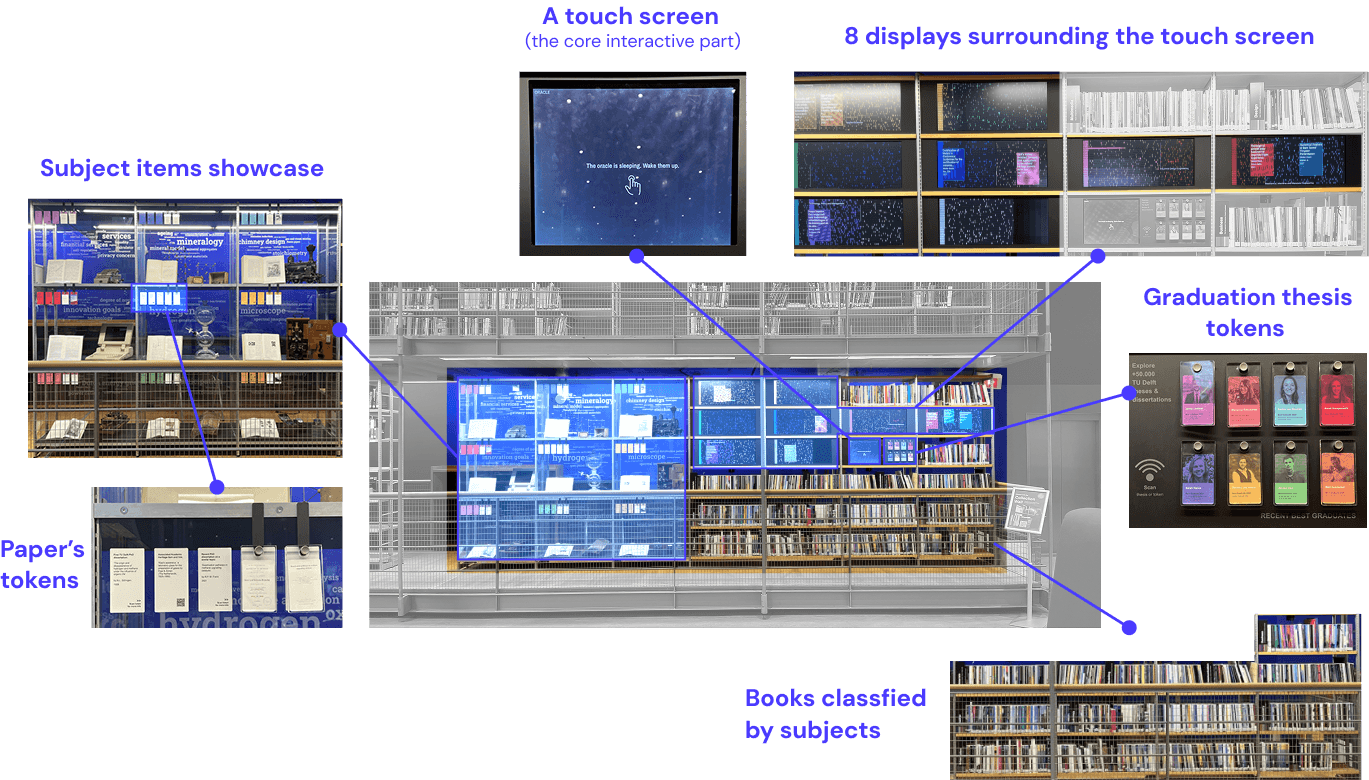
The Collection Wall is a thesis collection in the TU Delft Library. It is placed on the side of the ground floor away from the entrance, in the right corner of the large wall displaying books. It consists of 3 main parts: the paper’s tokens, the showcase bookshelves and the interaction screen. In the design scope, we chose to focus on the interactive screen part.
User survey with Usability Assessment
Empathising and diving into the current experience
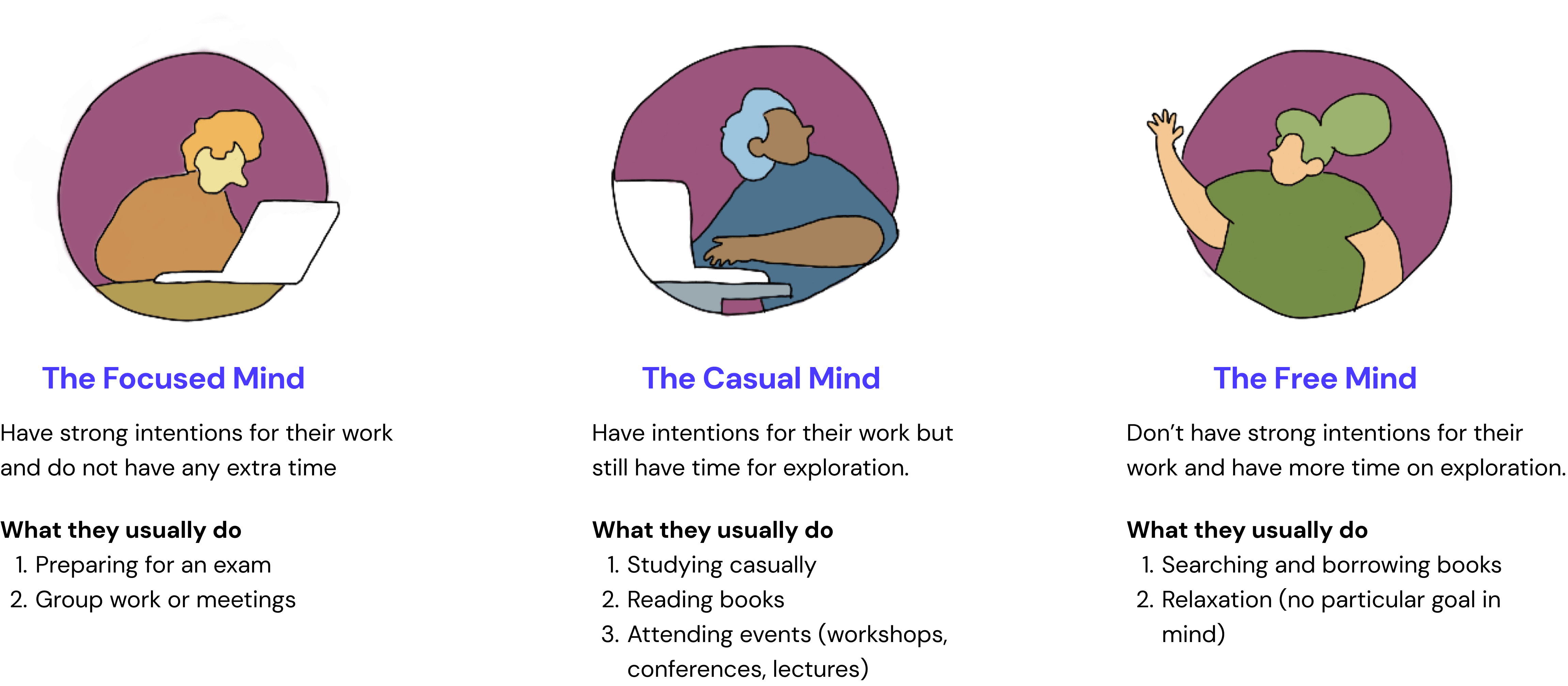
In order to address and figure out the questions, we decided to look at the bigger picture of this product: how the user, stakeholder, and product relate to each other? While we also zoomed in to assess the product usability: What are the current usability problems?
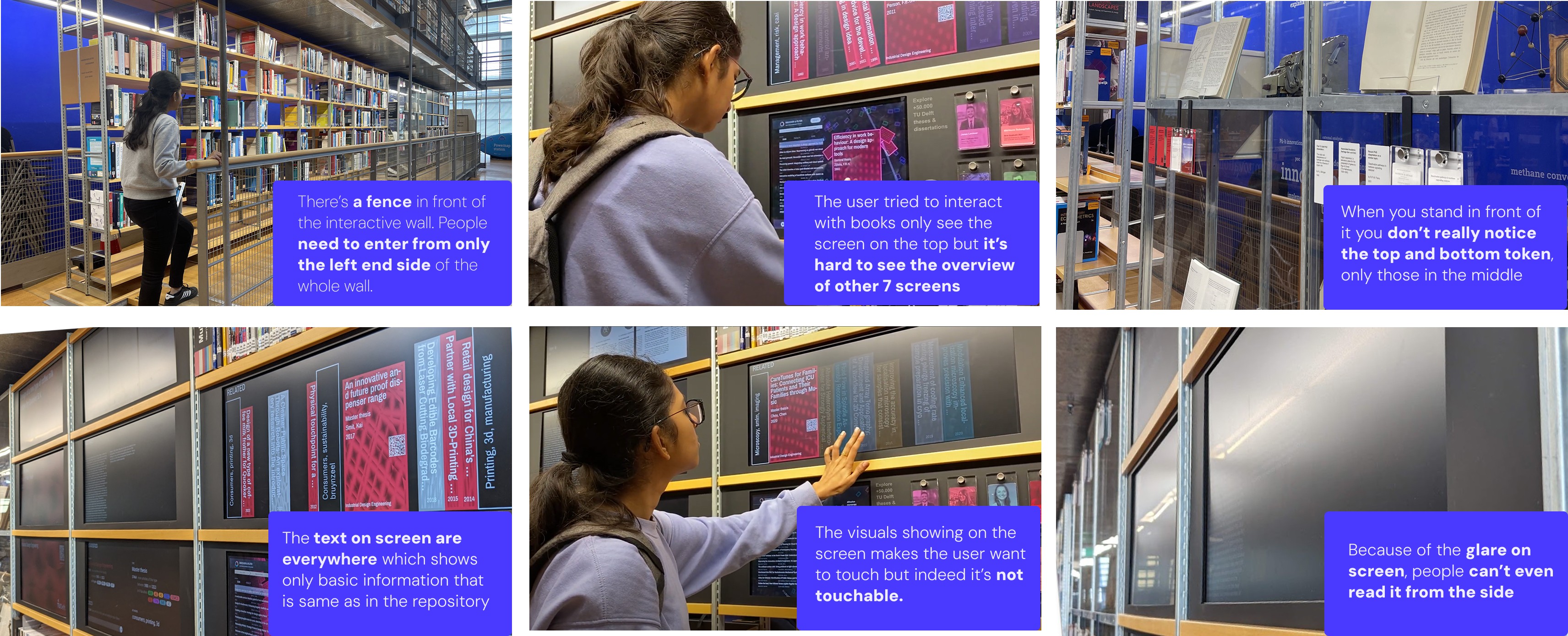
Analysis · Problem clusters
Problems arising between the product and user in direct and indirect interaction
- Problem in direct interaction: problems arise when the user is interacting with the product up closel;
- Problems in extended interaction: problems concerning the interaction with the product from afar;
- Problems about the goal of the product and it misaligning with the user needs.
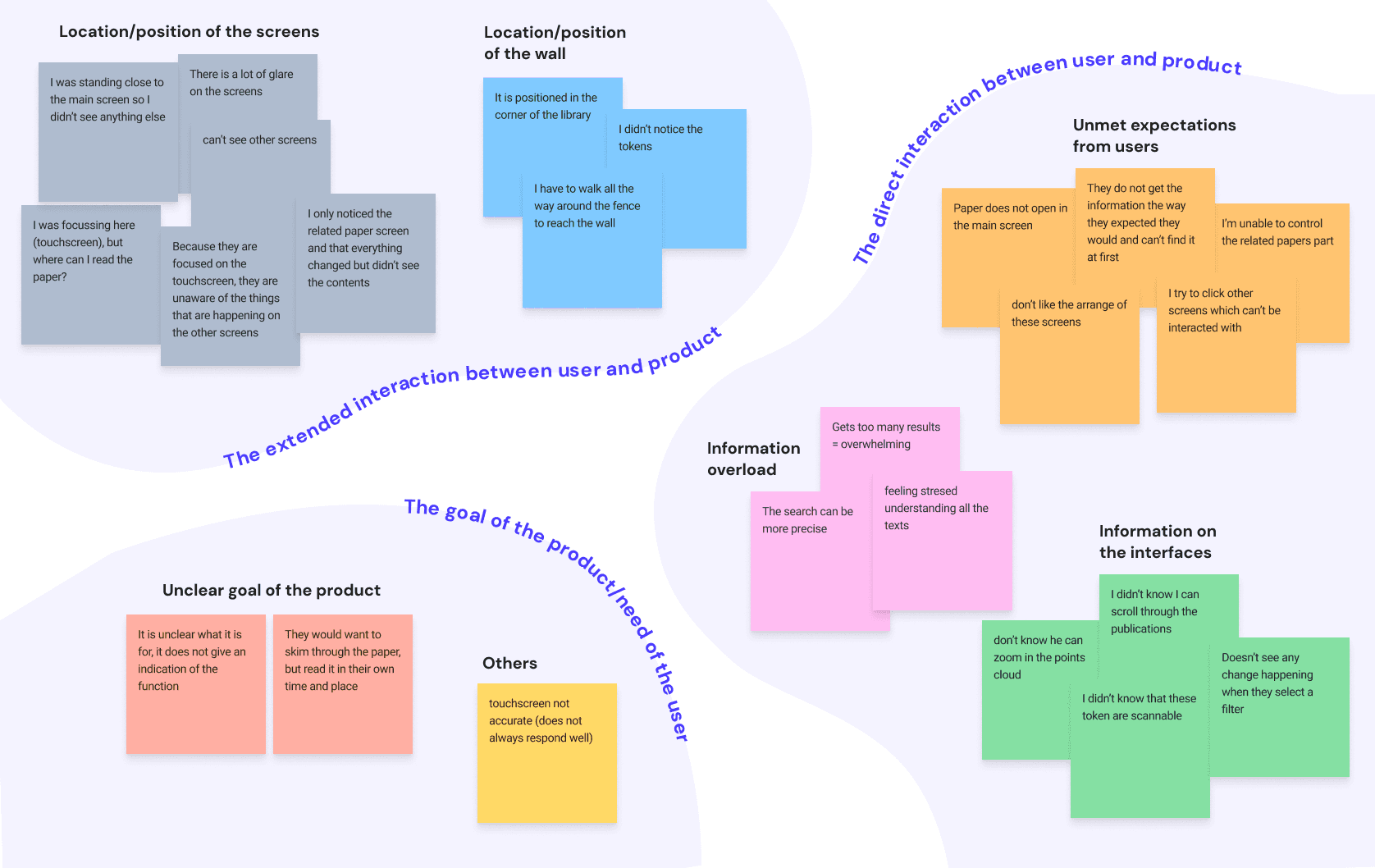
User analysis
Students prefer to engage in relaxing or non-serious activities. This led our design direction to a non-academic focus solution.
Students are more likely to have a focussed mind in exam season, and have more of a free mind in weekends or at the start of a new semester. It was also found that the free minded phase is the best implement our intervention, since they have around 5-10 minutes to dedicate to something fun and exciting!
Design
Ideation
The brainstorming process
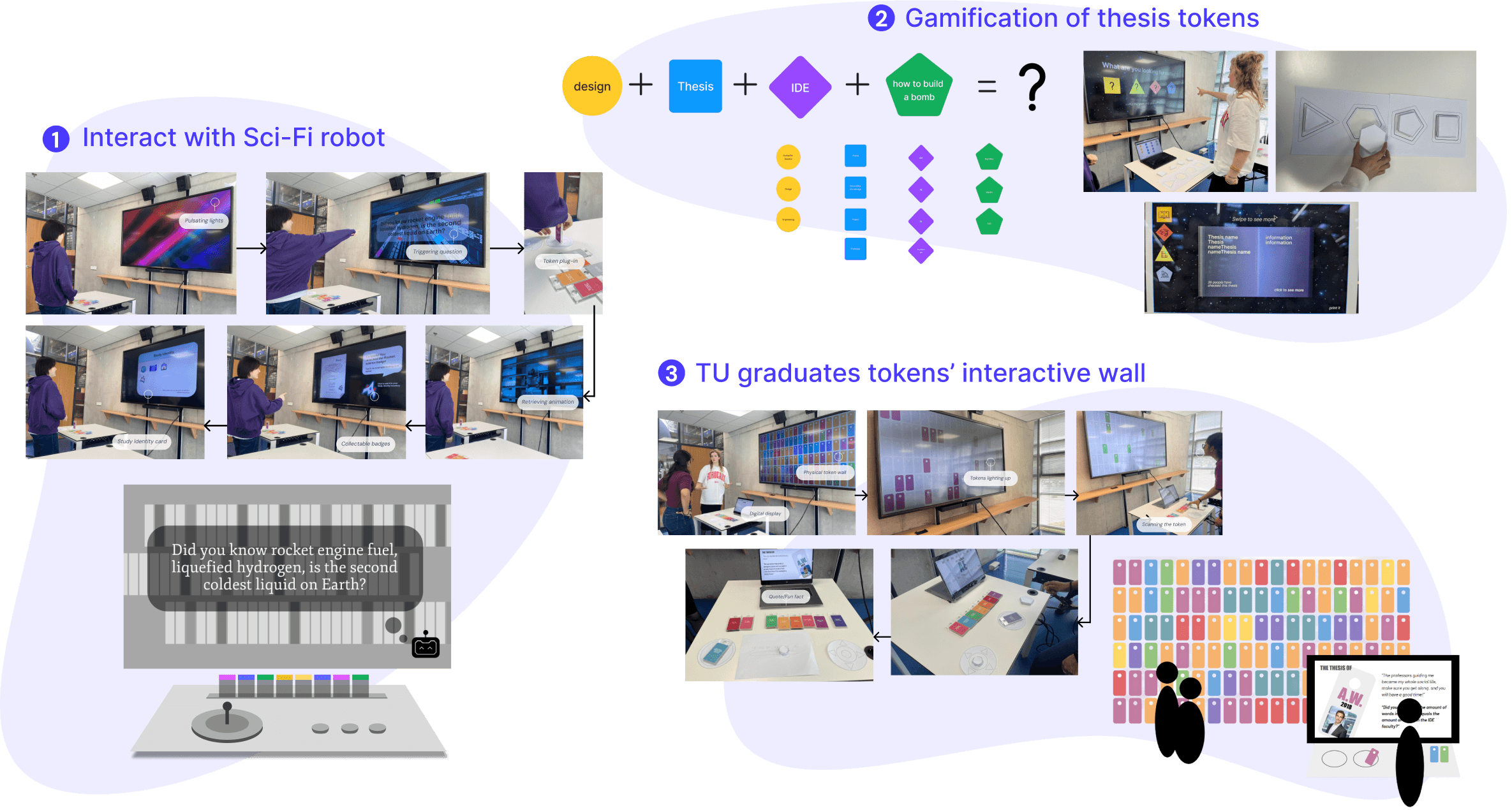
Started with individual ideation as seen in the figure below, jotting down all ideas that aligned with the design goals. As we gathered for brainstorming sessions, the next step was to categorise and merge these individual ideas into cohesive clusters.
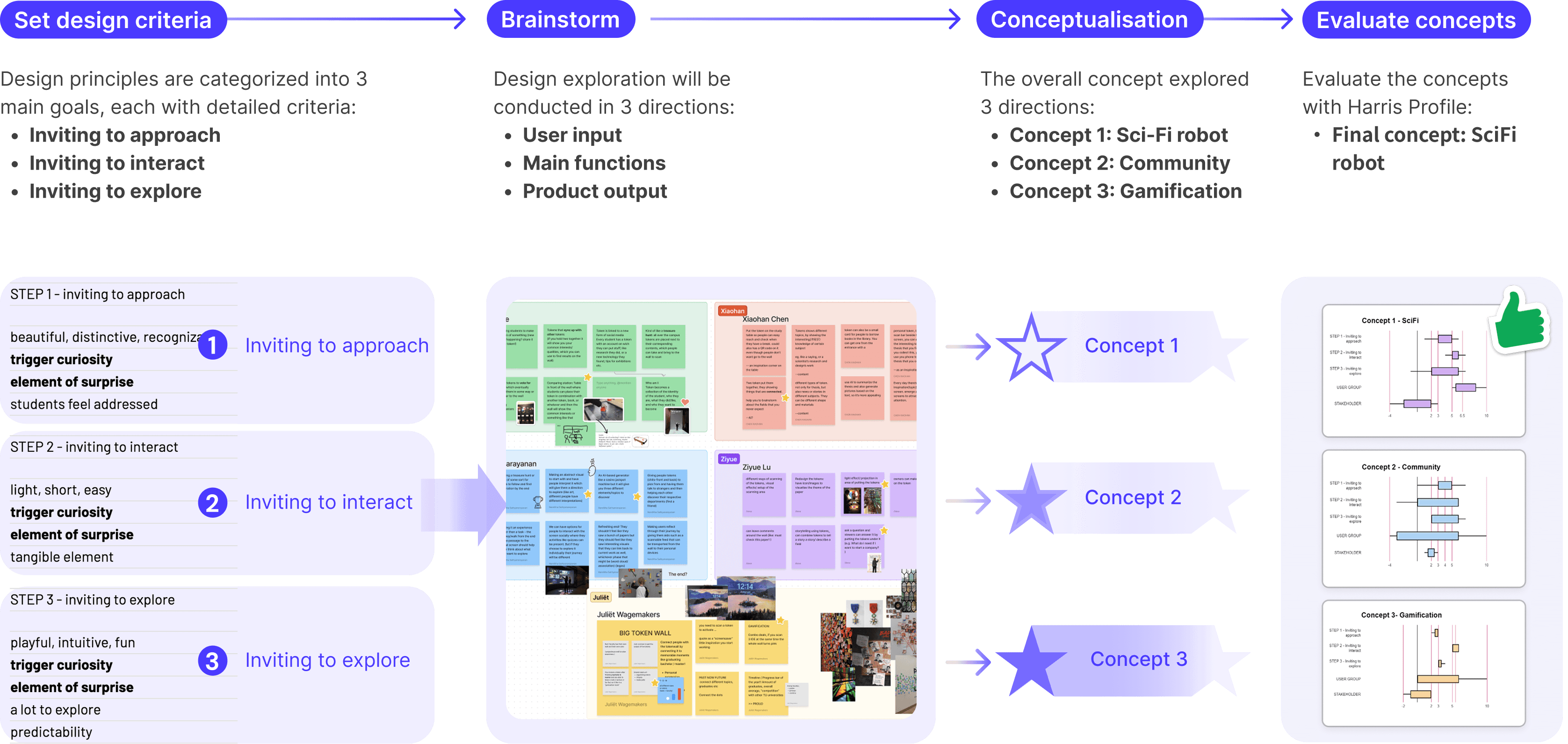
Test & chose the concepts
We developed 3 concepts and tested them with the simple prototypes to validate which direction to go next, and evaluated it with the Harris profile to select the final concept.
The overview product evolution
Evaluation
The new design turnout to be appealing in visuals and thesis content. It offers simple interaction in a limited study break.
The user test was divided into 2 different tasks: one was testing in the real context to see whether people would use the prototype; another one was in the studio, where we can easily control the prototype and ask further questions after the test.
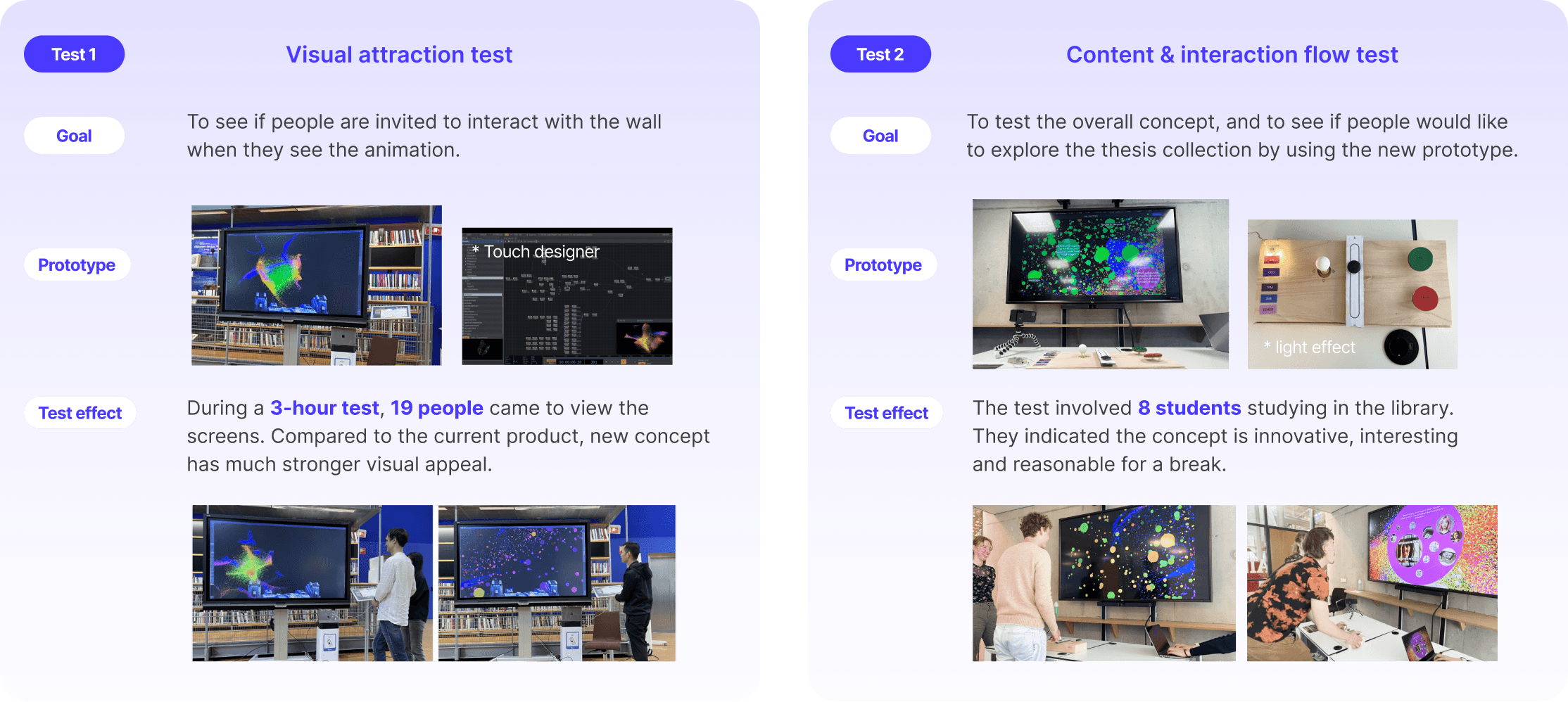
Result
Final design
How to interact with it?
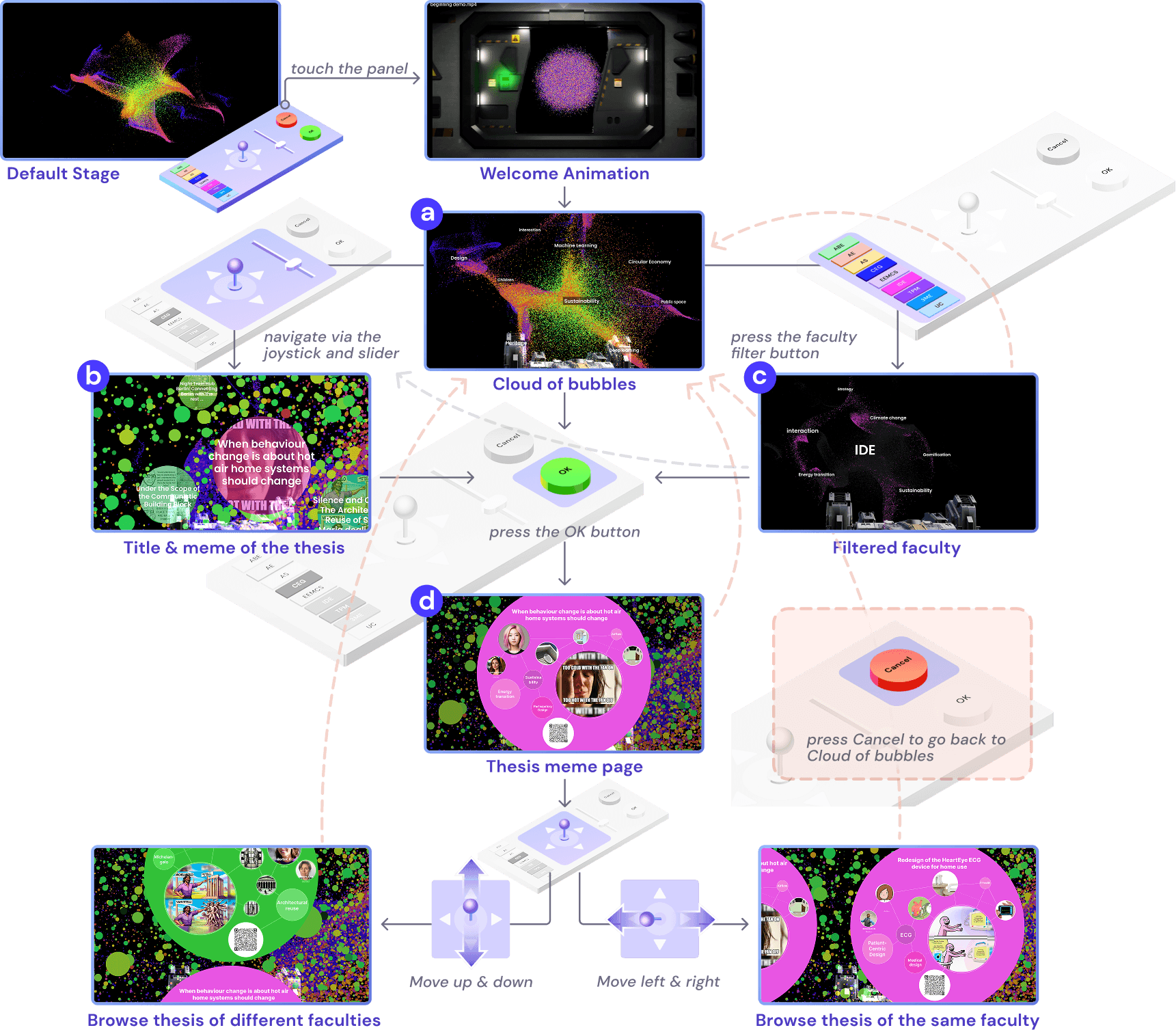
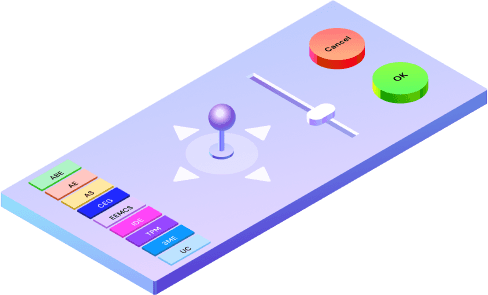
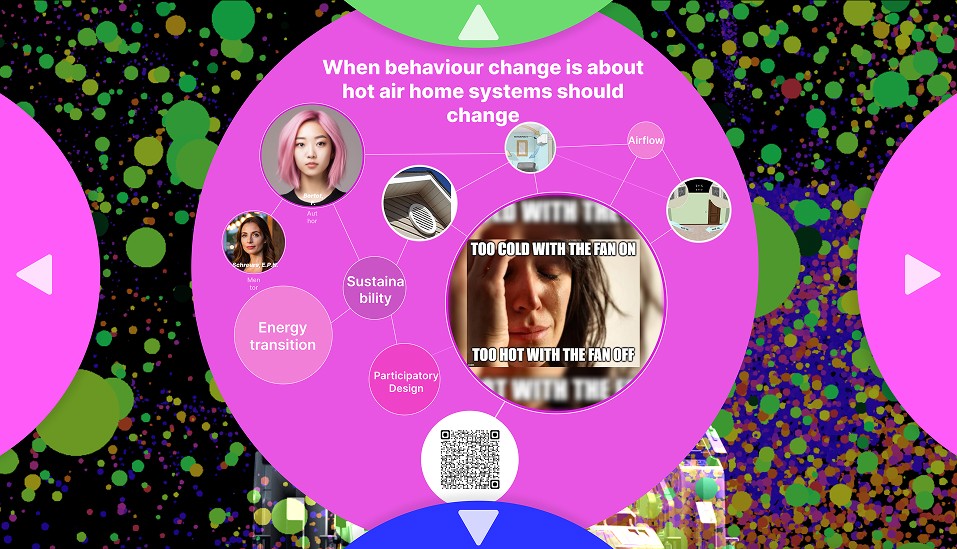
After a final round of iteration, the final design was ready to launch! The design is an interactive world of theses, a joystick and lighthearted memes to make student study breaks more explorative.
Step 1. to approach
Digital screen
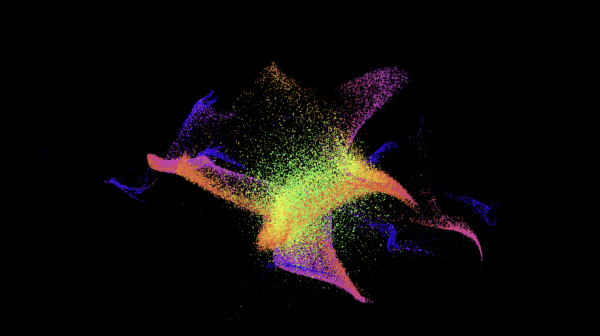
Step 2. to interact
Physical control panel
Step 3. to explore
Thesis details & meme
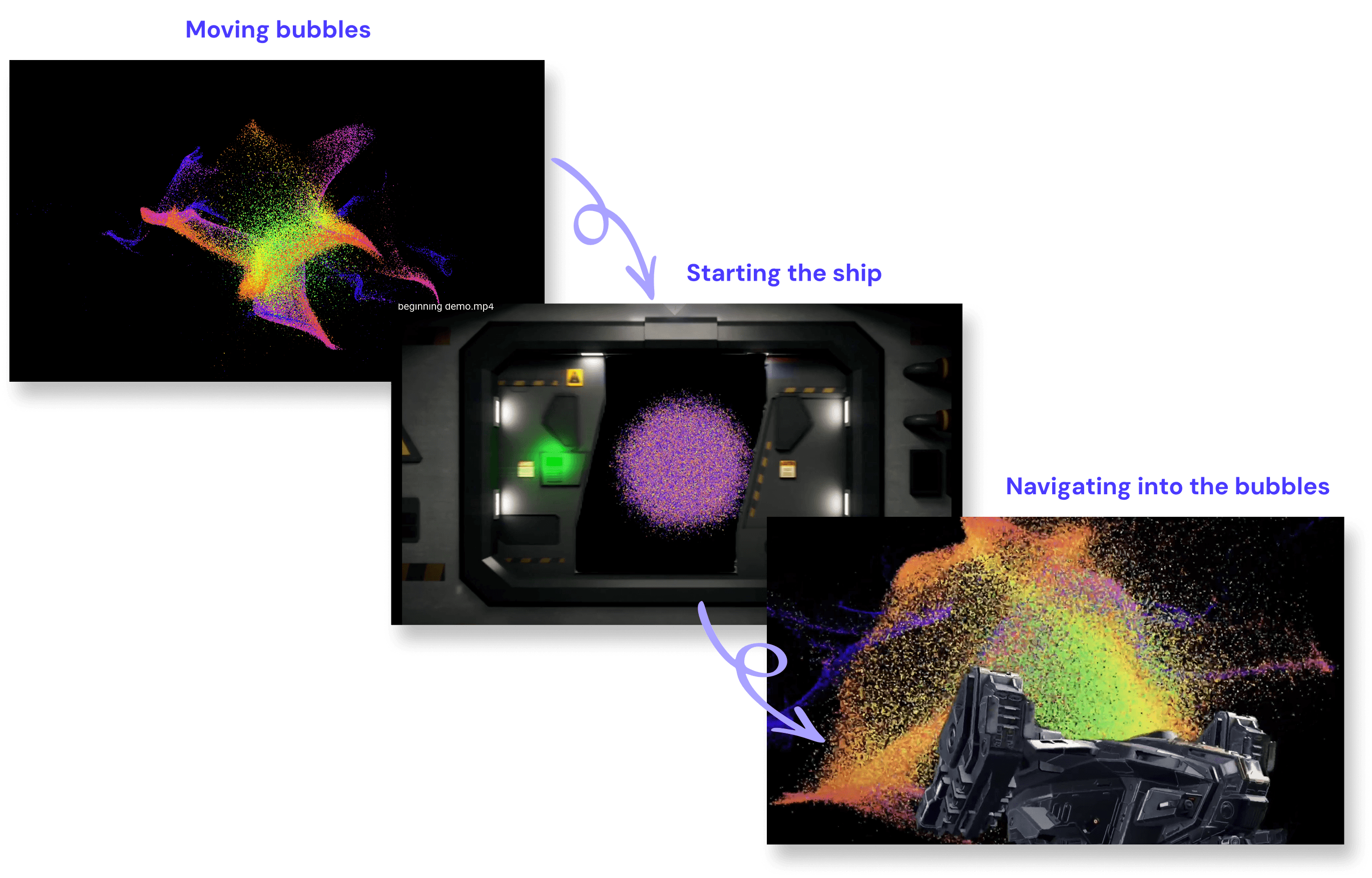
Transition Animation
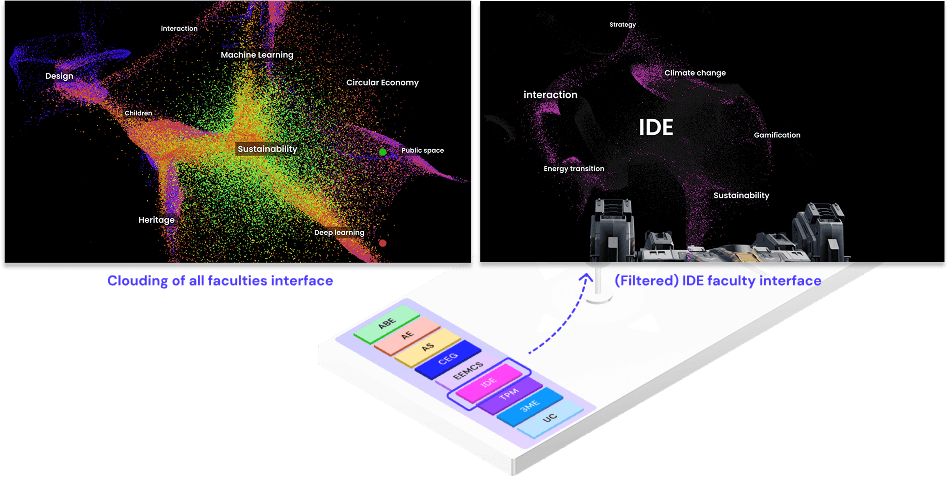
Faculty filters
Zoom in interfaces for thesis
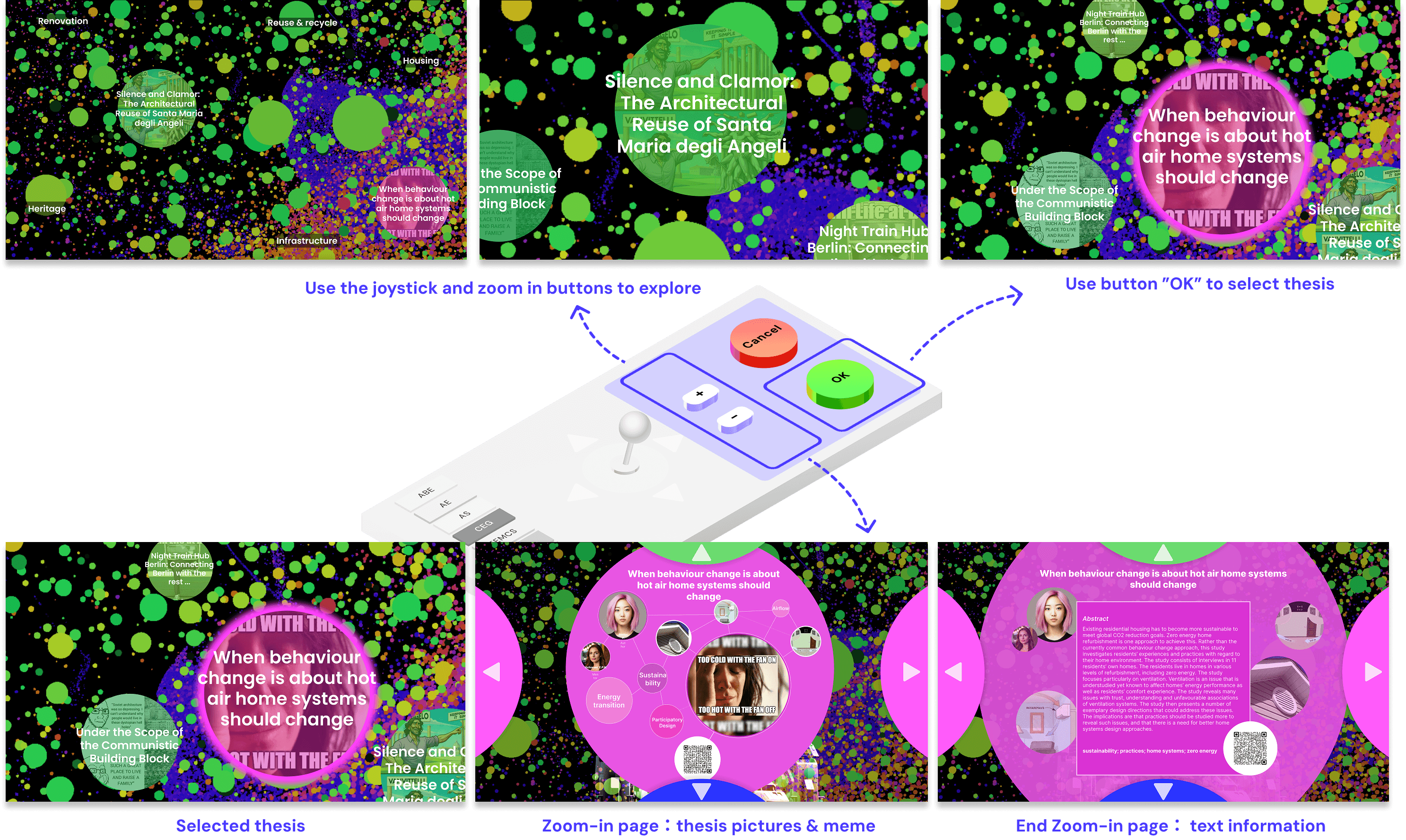
Swipe to other thesis
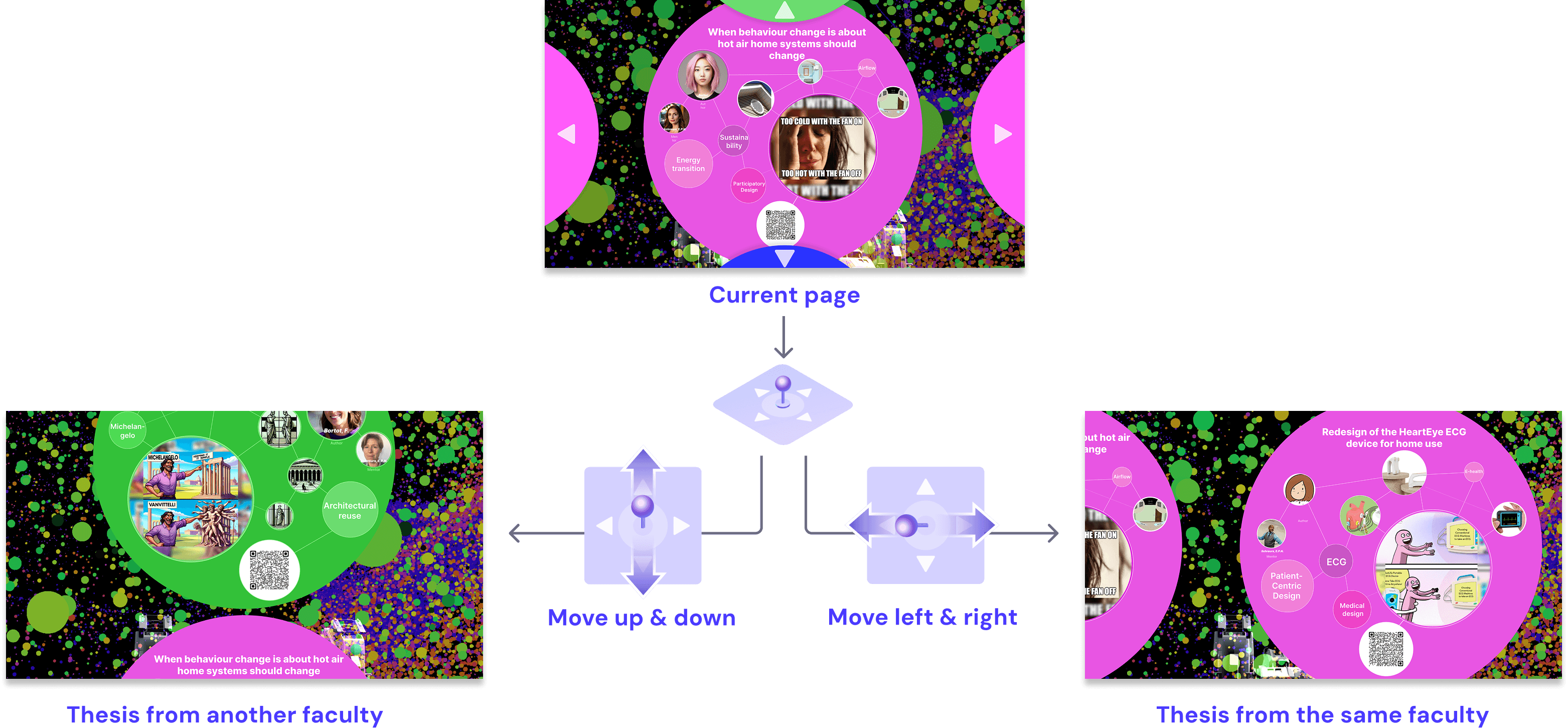
Interaction flow