Overview
What is Game level editor?
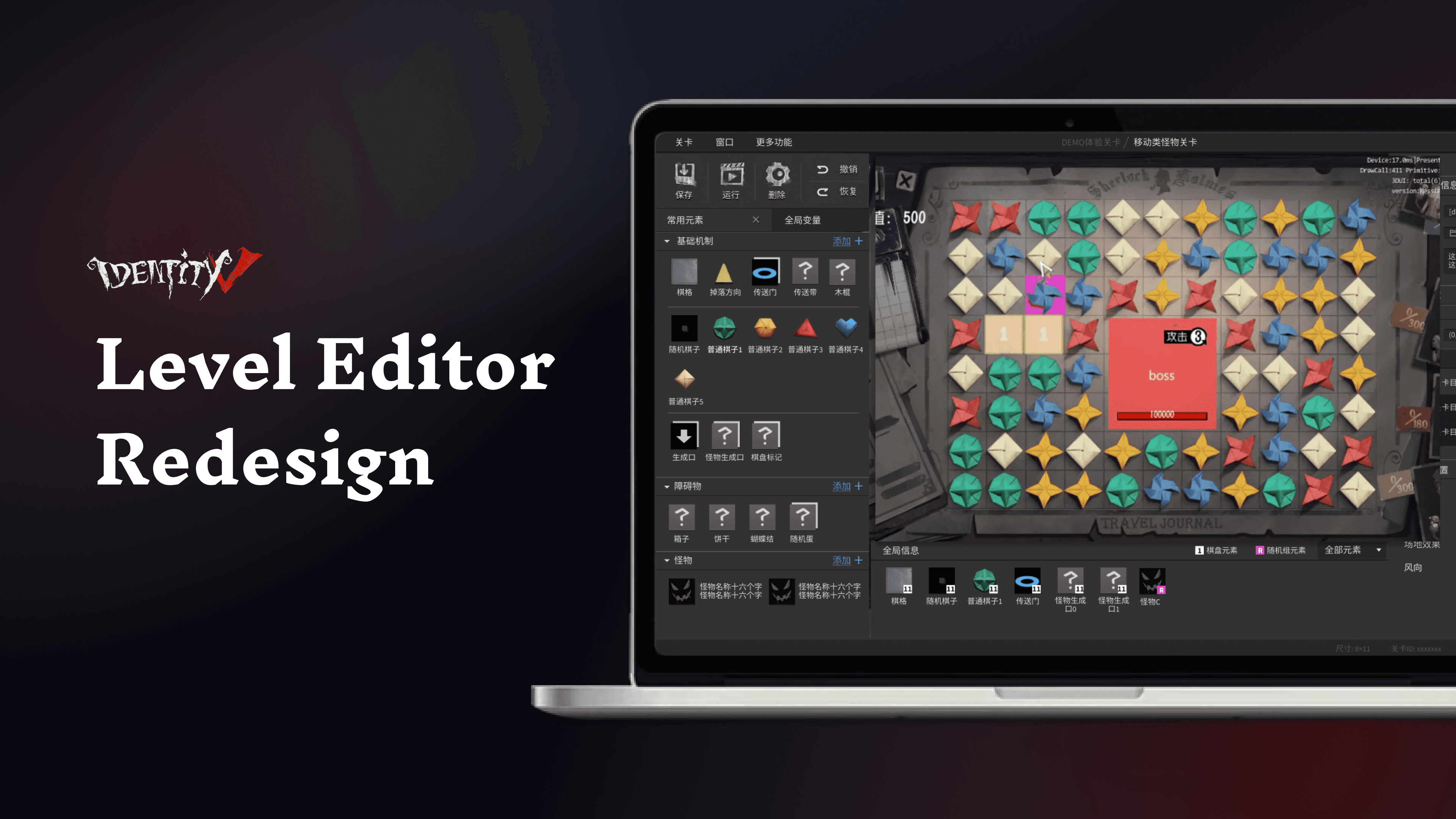
This level editor is specially designed for a 3-match game. Its main function is to help game level designers design levels, calculate values, simulate battles, etc. With the development of the game, many functions need to be iterated and added. The main settings include: Level Objectives; Remaining Steps; Elements (Core Mechanics, Obstacles, Enemies); Items
My task
Analyze the usability of the whole game editor and design functions according to the needs of level designers.
Product Side Optimization
- Add config functions for scalability to support future game volume growth
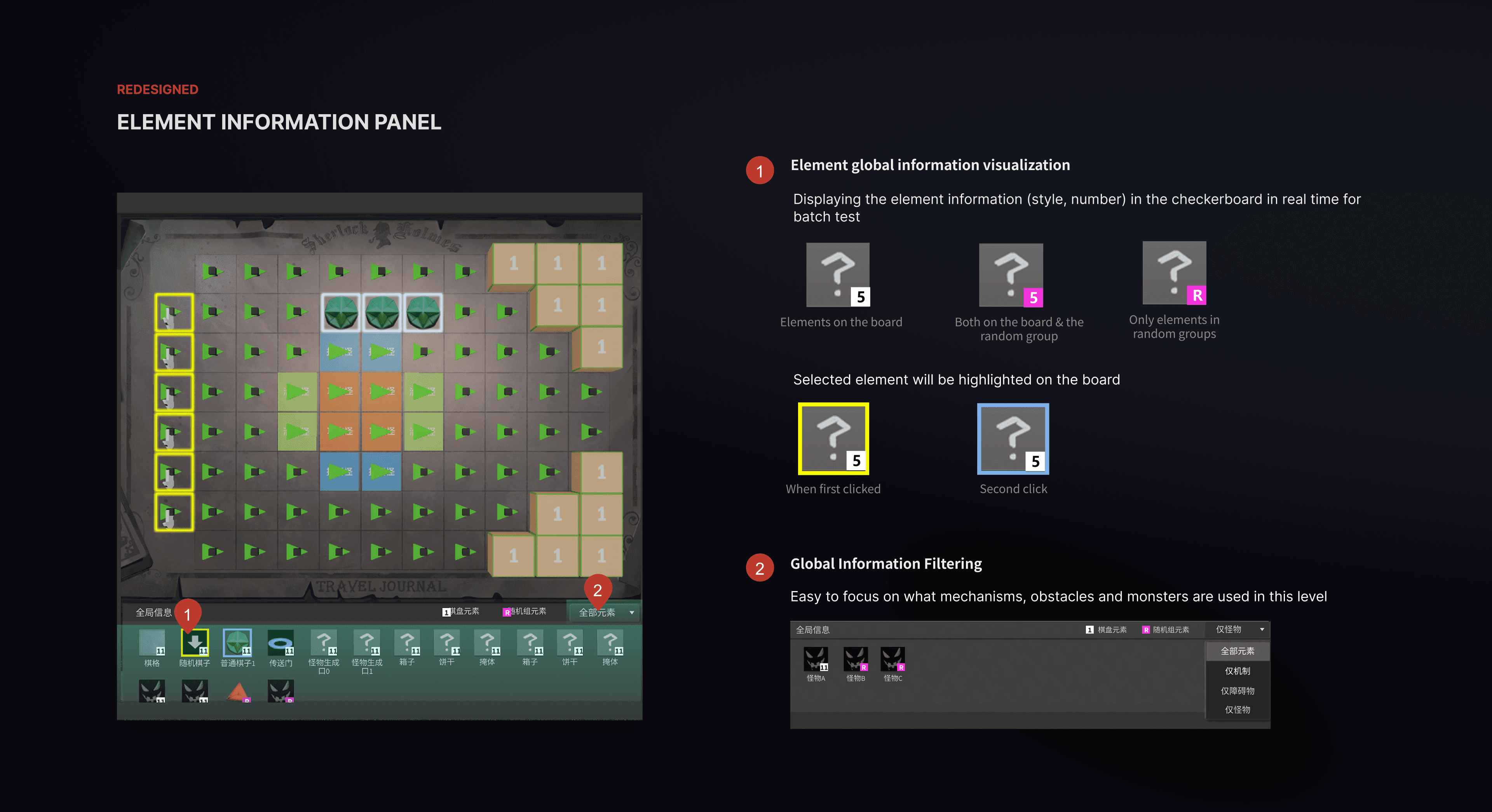
- Streamline board operations and information access for game elements
- Integrate rhythm design assistance system (future)
Usability improvement
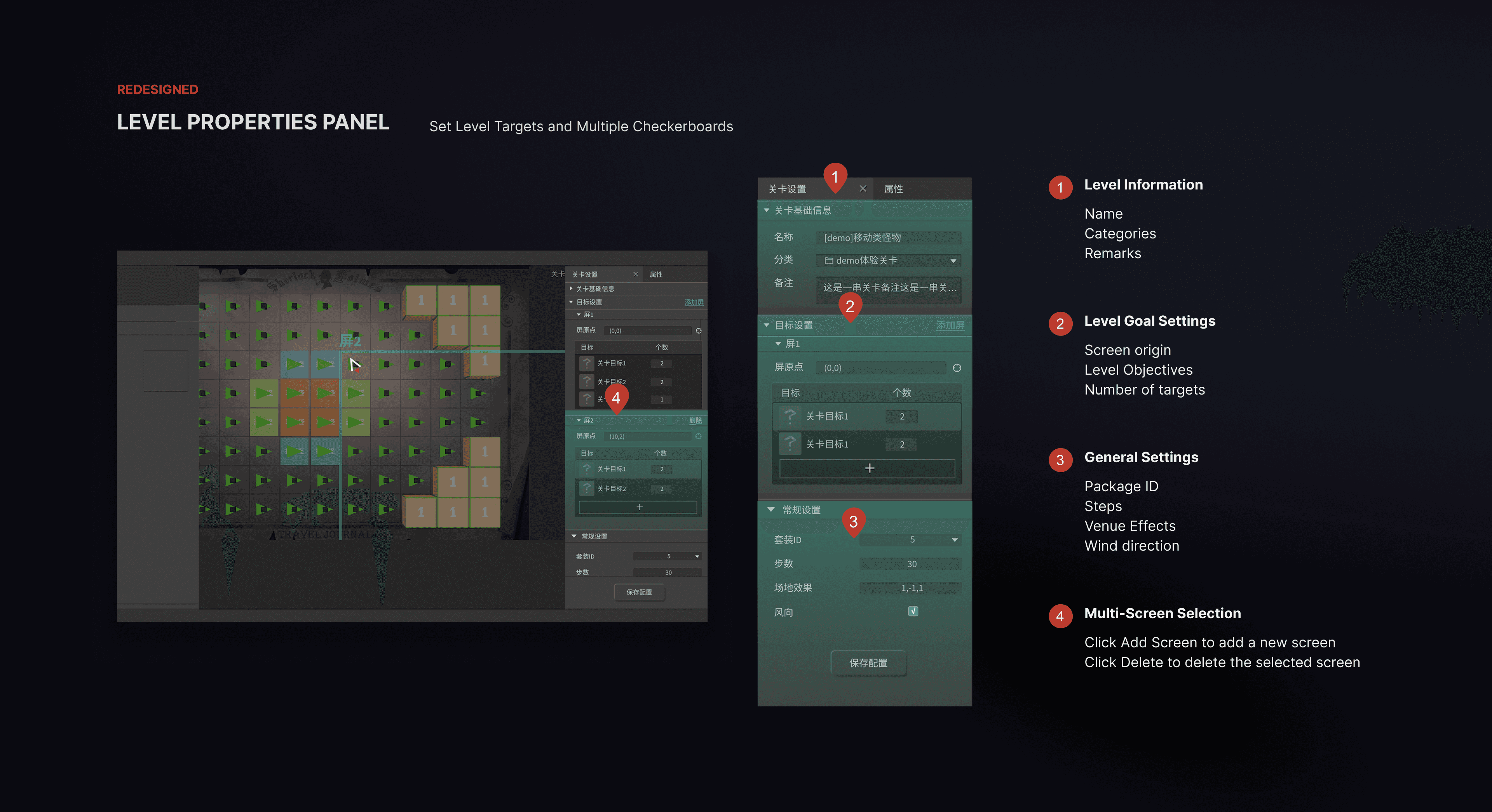
- Board Element Visualization
- Information Flow Visualization
- Visual editing methods
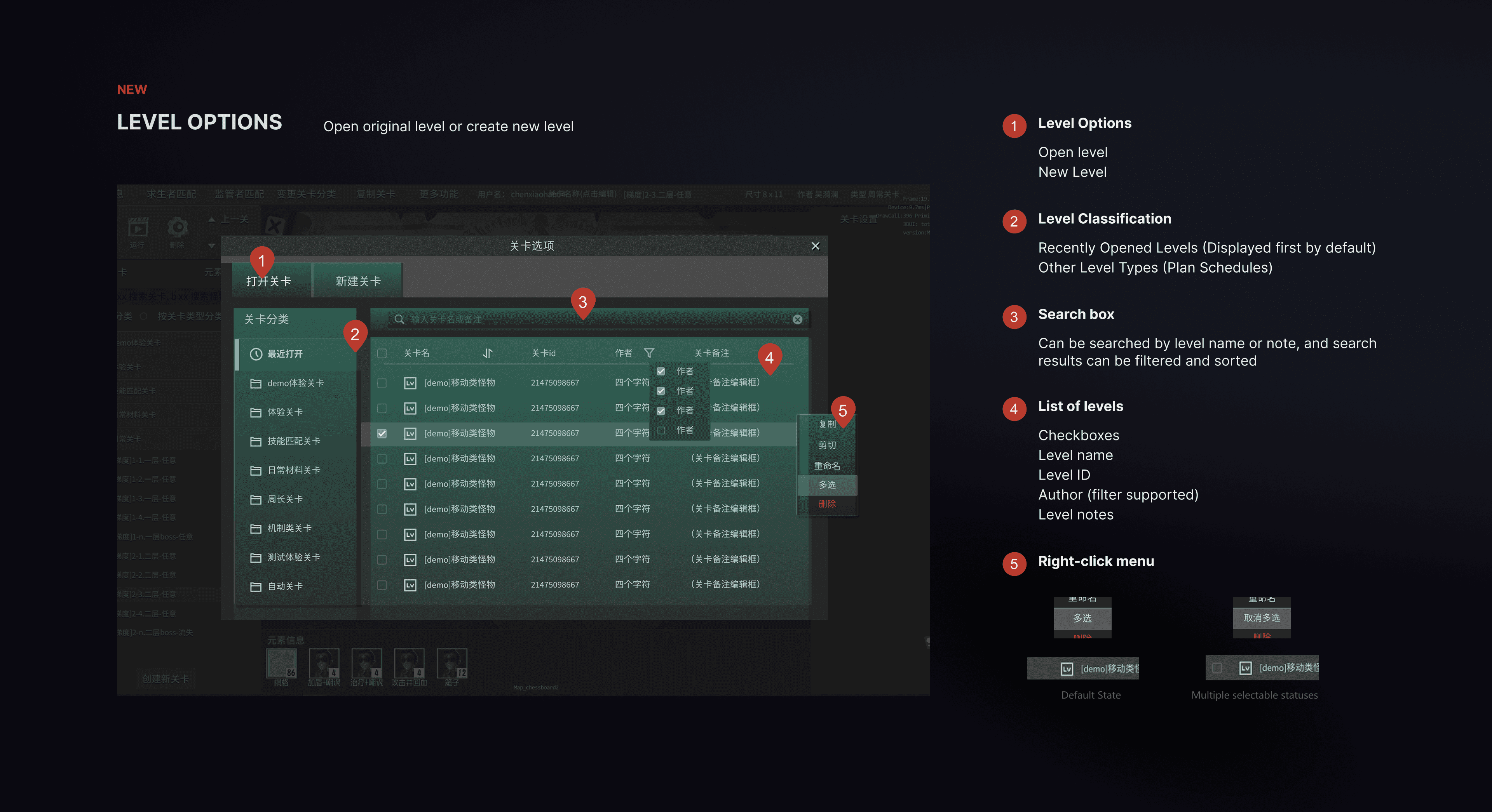
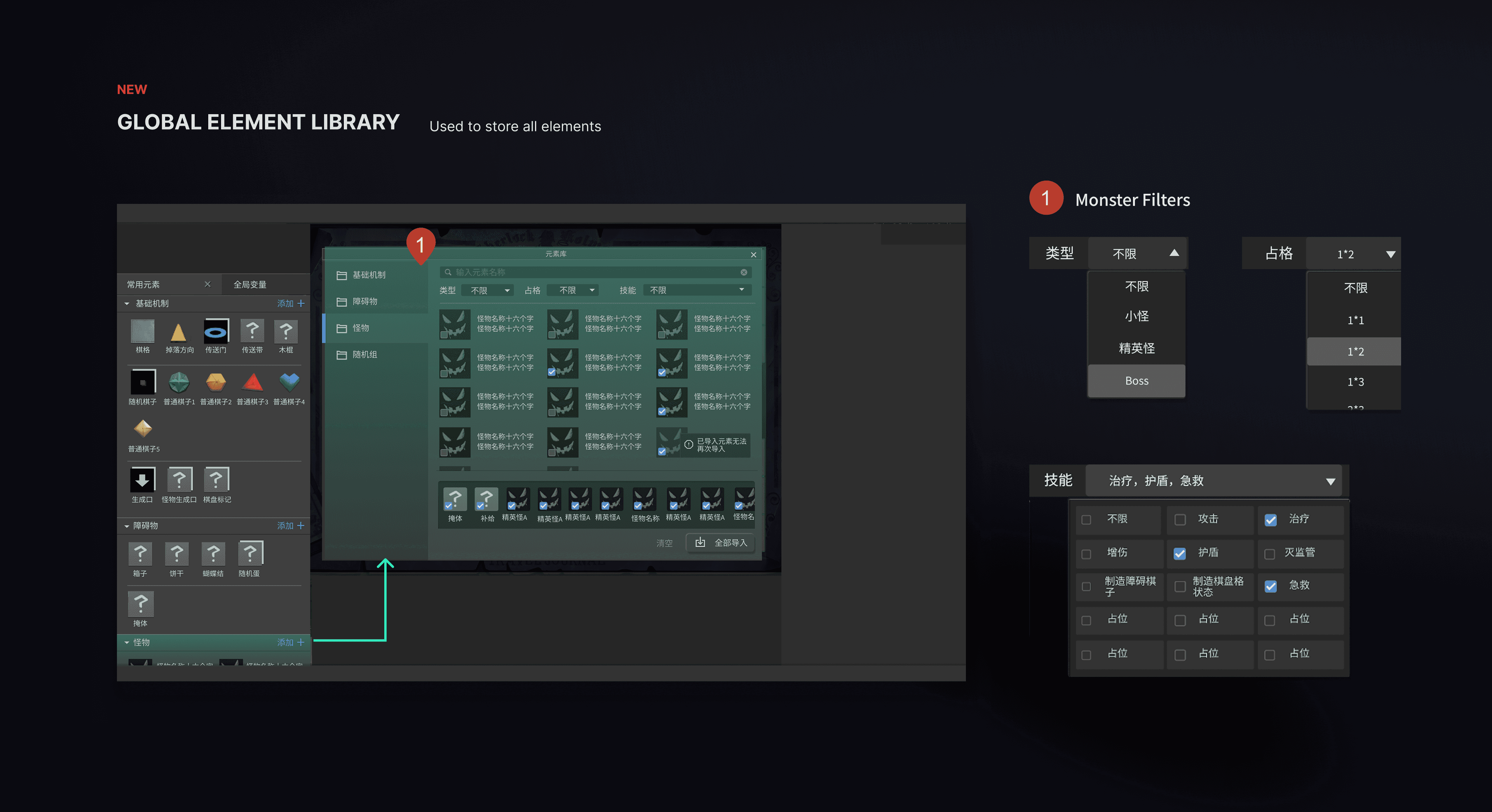
- Filtering: Filtering and searching levels and assets
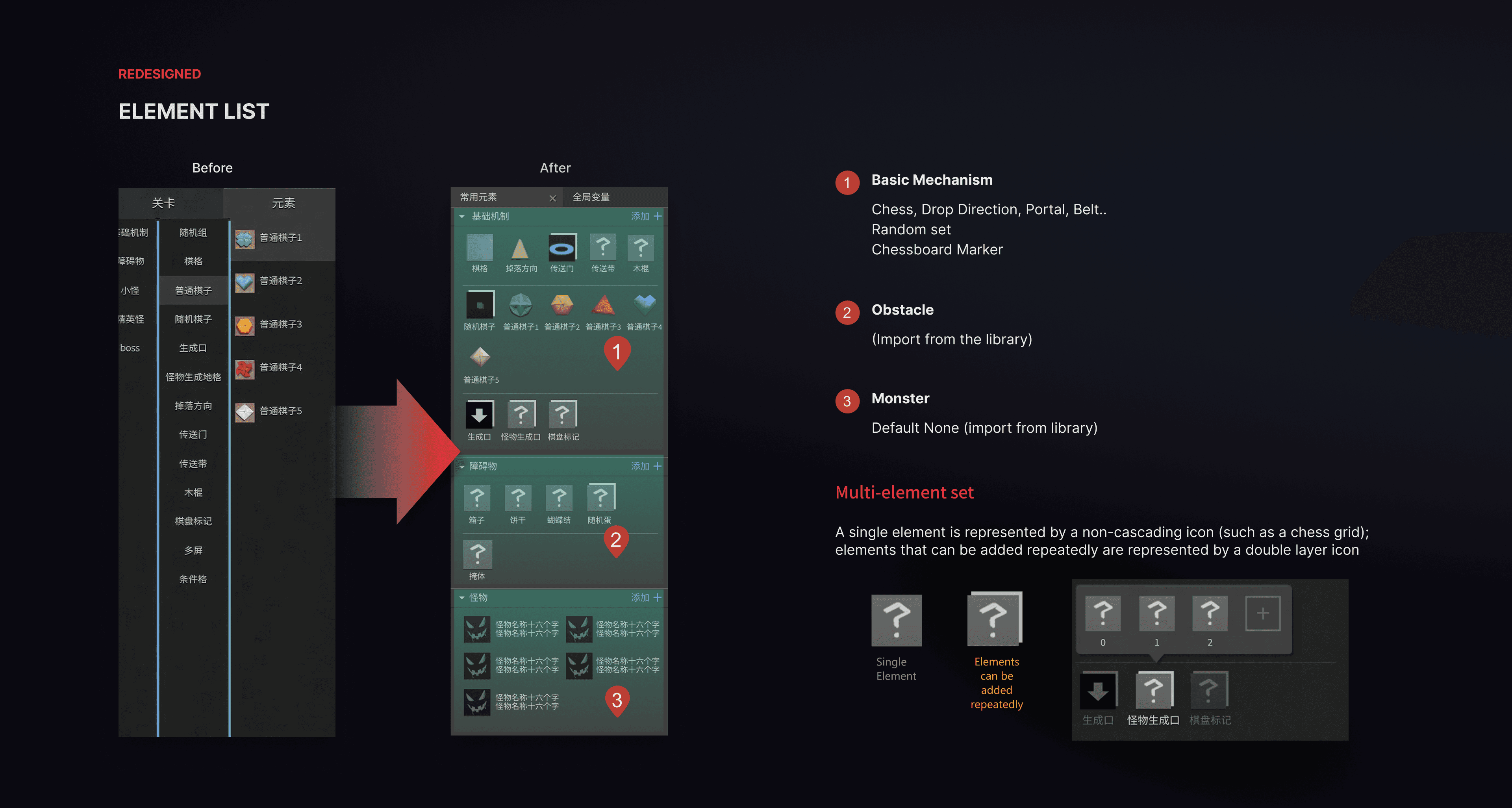
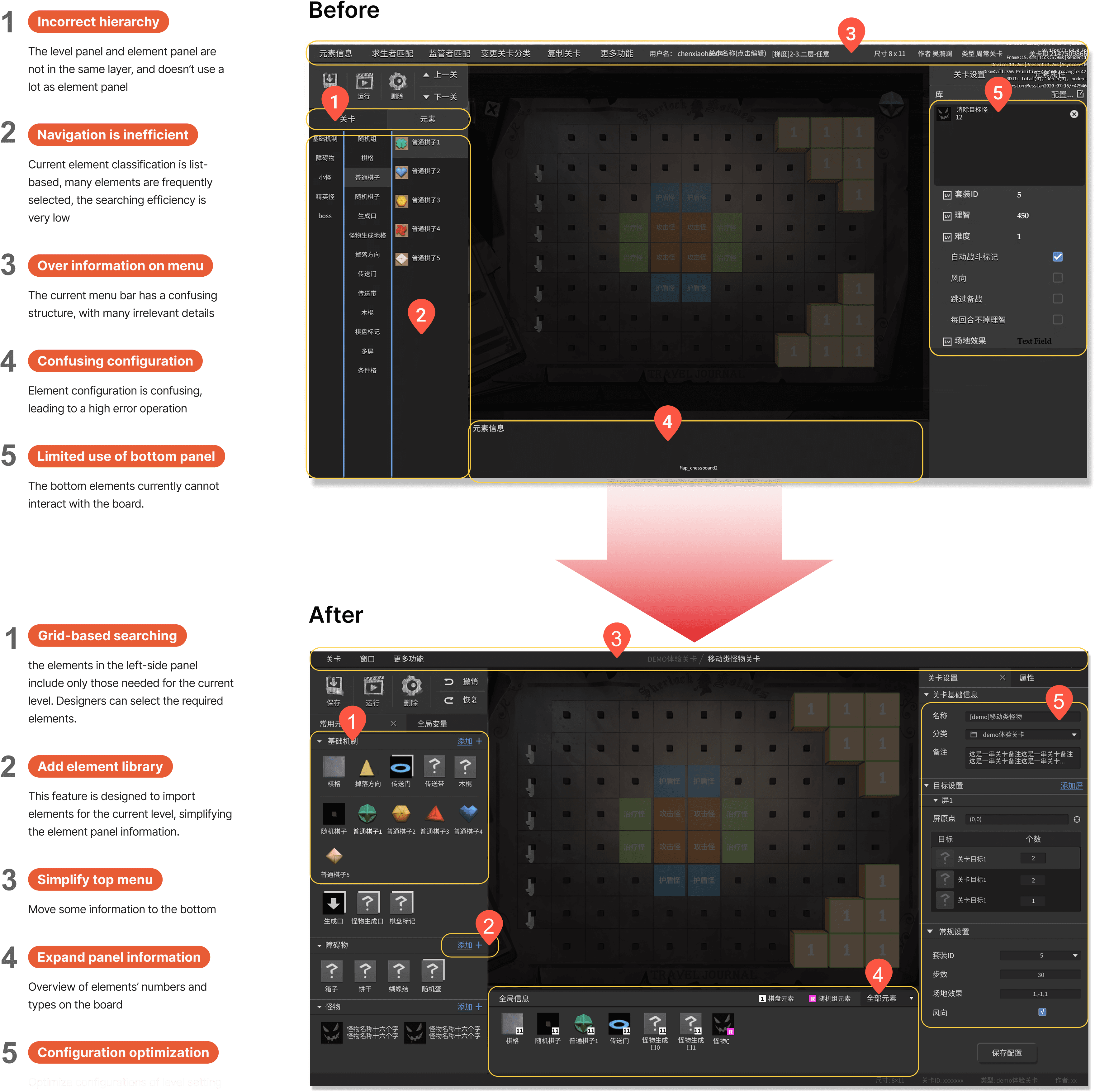
Old Design vs. New Design
Impact
After development, the redesign has been proven to increase level planning time and has higher usability.
Level planning efficiency improved 20%
Now the number of configured levels has been increased from 5-6 levels / day to 7-8 / day.
* Results from level designers' feedback
Elements search time saved 50%
Now the elements in the element panel are only the one required for the current level.
* Results from user test
Research
Research Process
Competitor analysis
I analyzed current 3-match editors and other game engines or editors to summarize UX design guidelines.
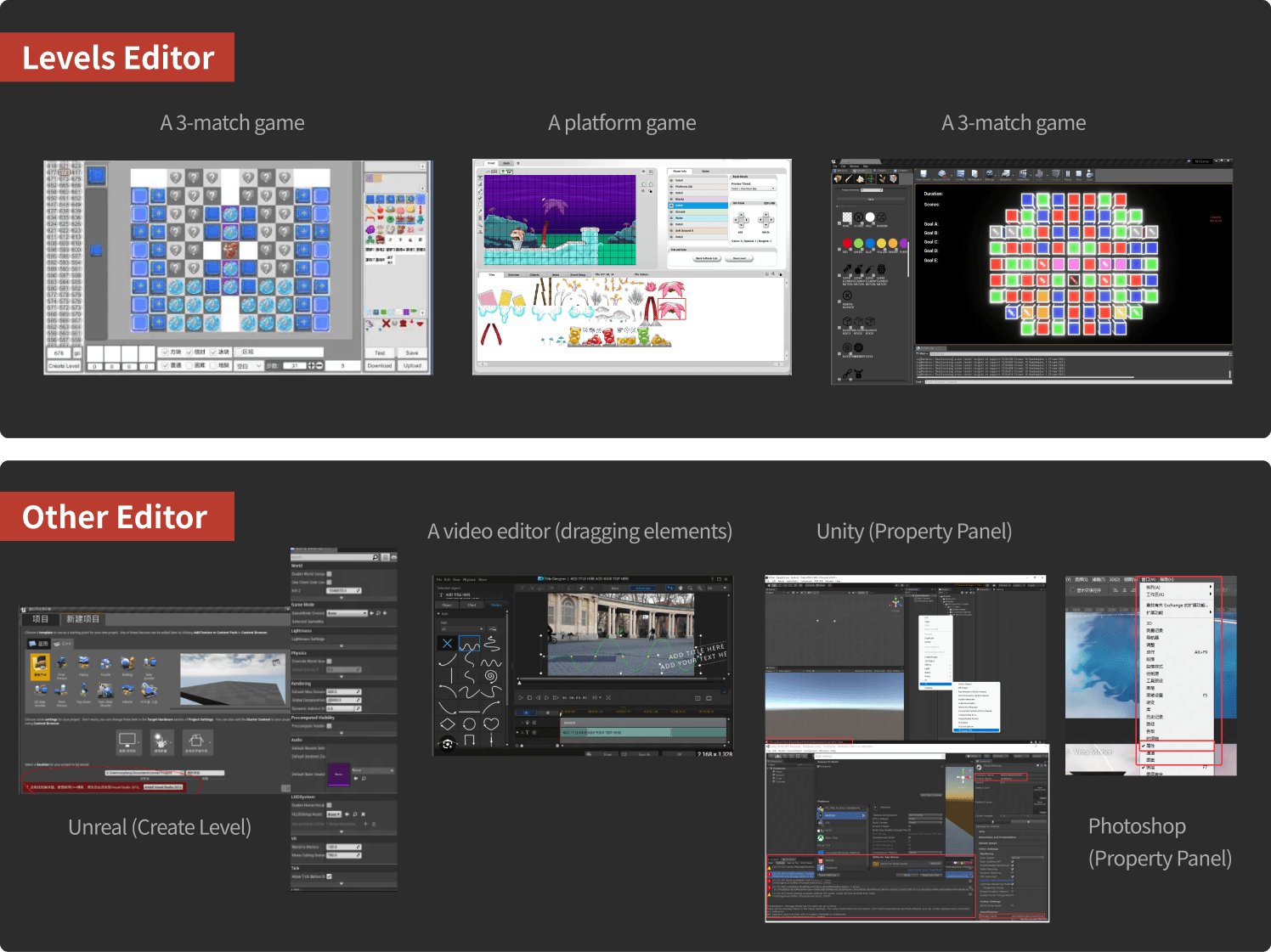
Editor products' UX features
- Classic Editor layout
- Gray, white and black color
- Element Visualization in pannel
- Expand actions in right-click panel
- Drag-and-drop interactions
- Property configurations in lists
Research Process
Heuristic evaluation
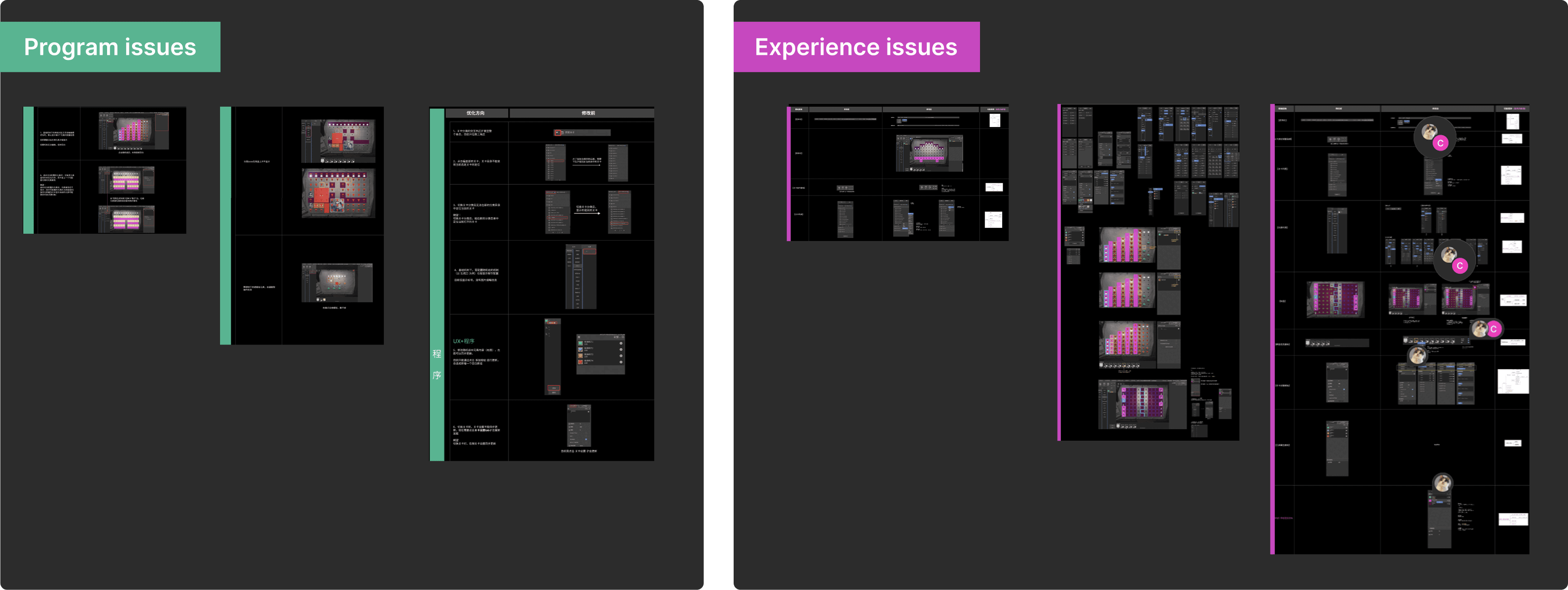
Current program issues
- Hot zone problems
- Directory switching jump bug
- Image and text clarity
- Property panel configuration could not be synchronized
Usability issues
- How can the menu increase indexing efficiency?
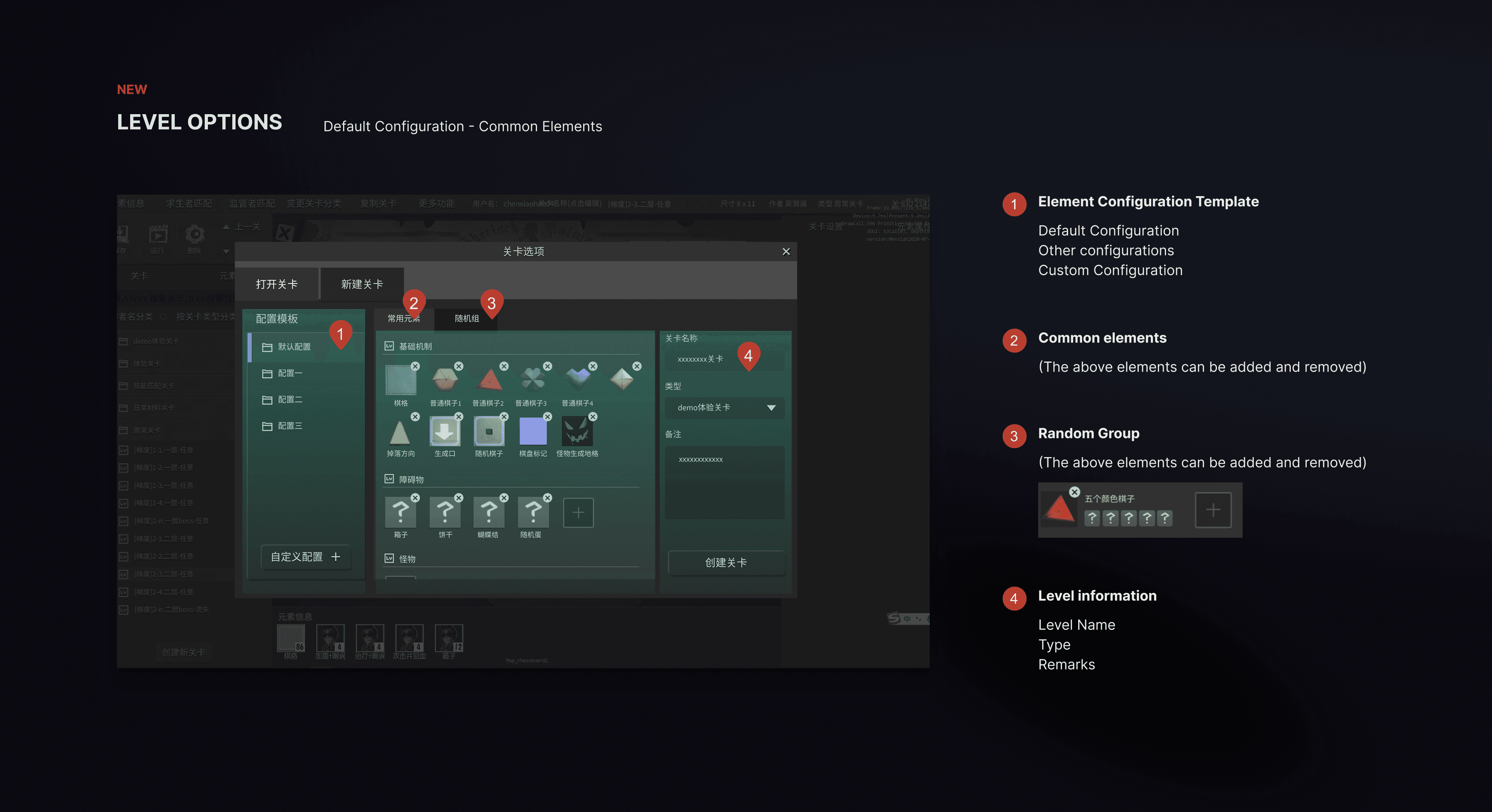
- How to set a level to save time?
- How to interact with the board?
- How to configure multi-attribute elements?
Design
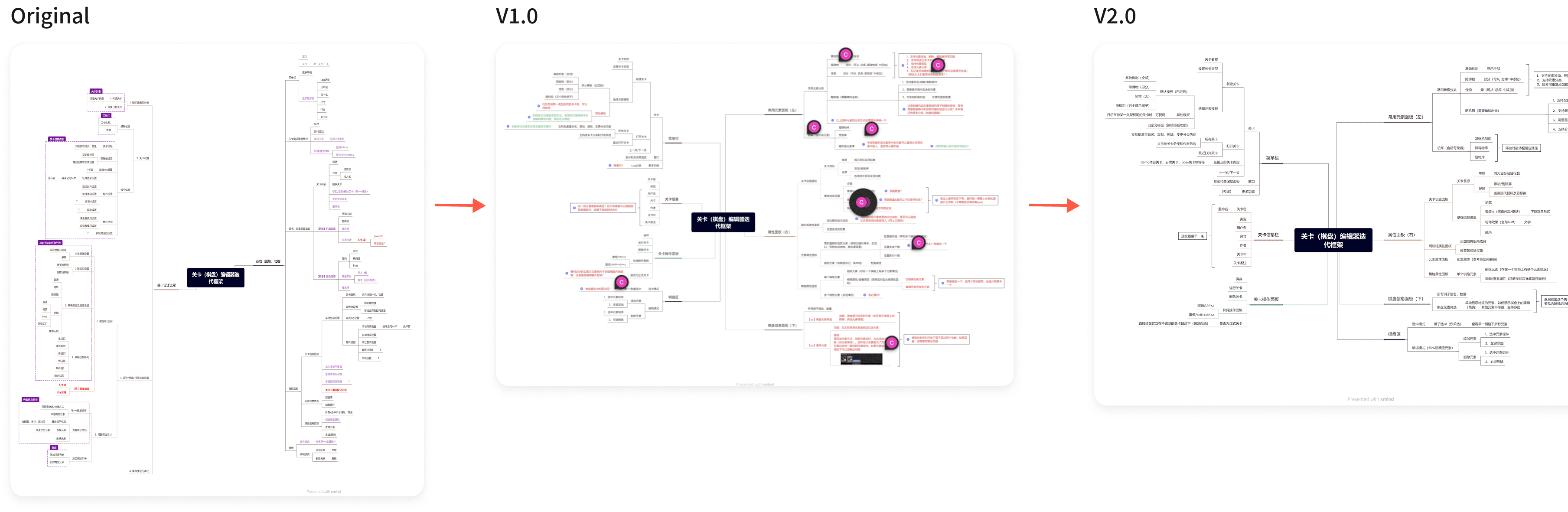
Information architecture
Trade-offs: In the first design iteration (V1.0), I focused on my own understanding & experience of the editor, but many features weren't actually priorities for level designers. So the second iterations (v2.0) was developed based on level designers' opinions.
Design System
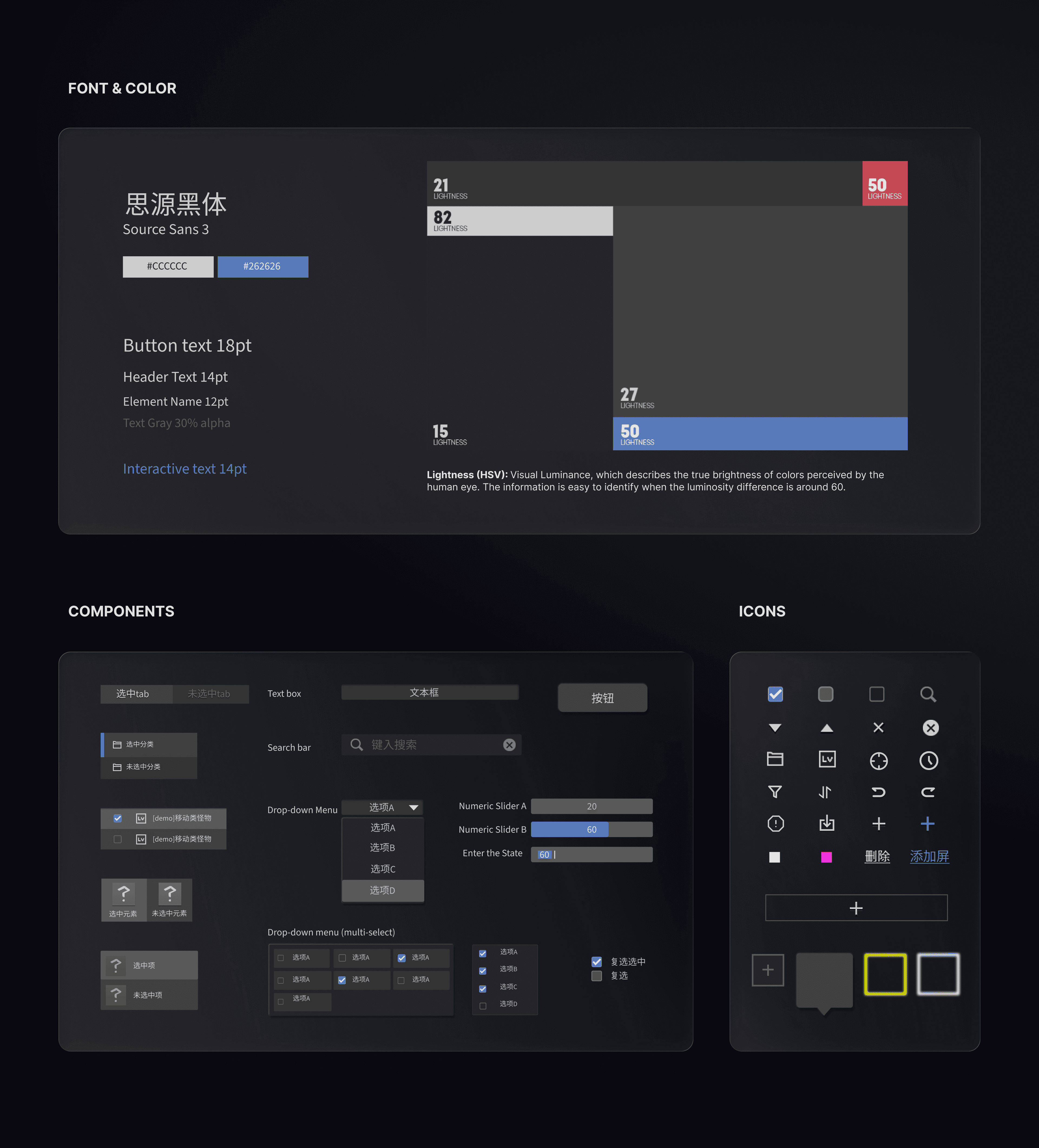
The design system is based on the original guideline. I scaled & revised it with UX standards.
Interfaces